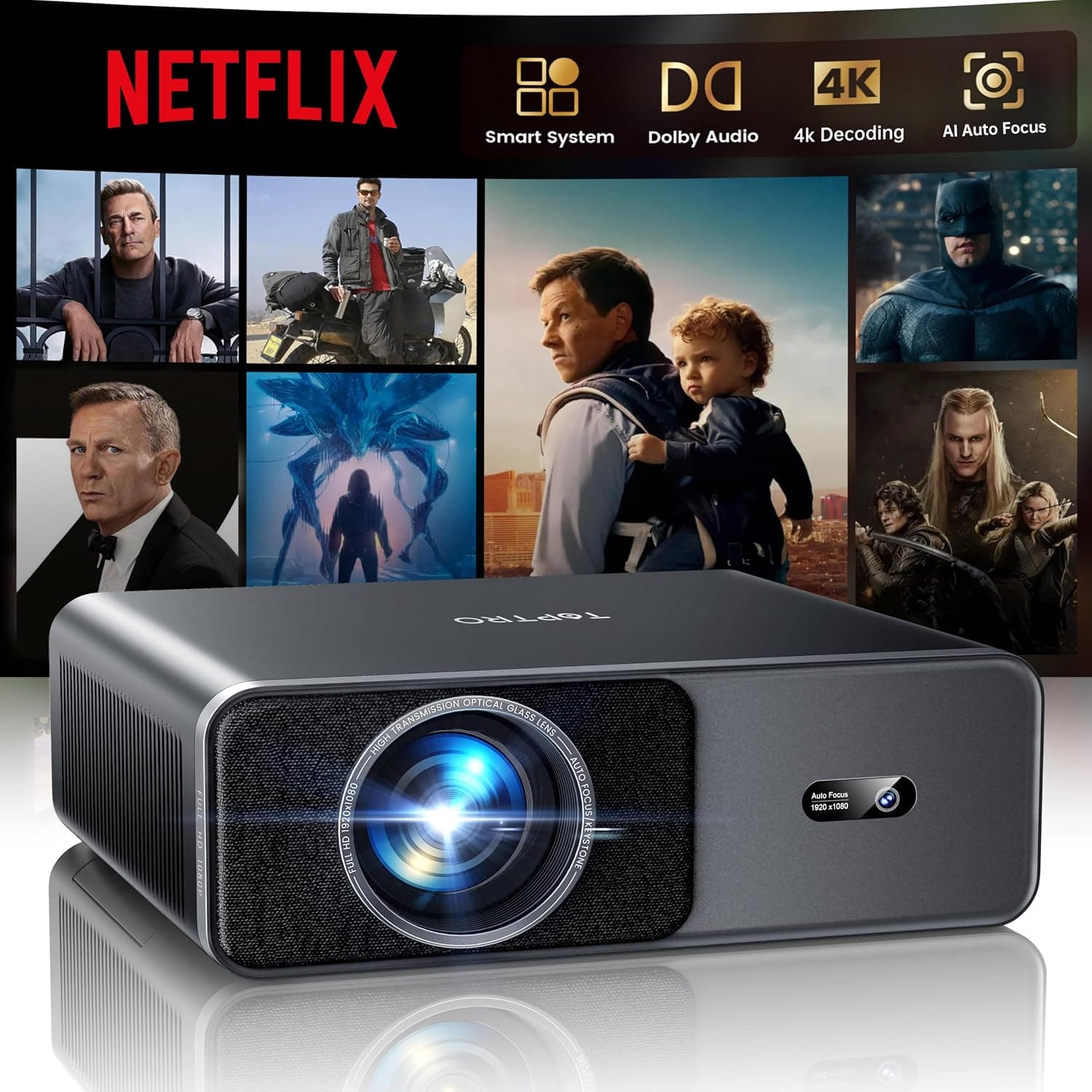
What does 'native 1080p, 4K input' actually mean for the picture?
Projector listings routinely put a resolution in the name that describes the signal it accepts, not the resolution it displays. Native 1080p means the panel shows roughly two million pixels; accepting 4K means it will take an eight-million-pixel source and downscale it to fit. You get compatibility with 4K players and a clean image, but not the pixel-level detail of a true 4K projector, which costs several times more.
The Good & The Bad
thumb_up What We Loved
- check
Self-focusing setup
Auto focus and keystone remove the most annoying part of owning a projector. Roughly aim it and the image comes out straight and in focus.
- check
Streaming and audio built in
WiFi6 with an onboard app system and two-way Bluetooth means fewer boxes and cables, and the option to use it as a Bluetooth speaker.
- check
Large image for the price
A big, enjoyable picture in a dark room at a price far below a dedicated home-theater projector, especially with the coupon.
- check
Portable enough to move
Light enough to carry between rooms or outdoors after dark, which suits casual movie-night use.
- check
Accepts 4K sources cleanly
It takes a 4K signal and downscales it, so you can feed it a 4K player or console without compatibility headaches.
thumb_down Honest Drawbacks
- close
'4K' means input, not panel
This is a 1080p projector that accepts 4K. That is a legitimate spec and a common listing exaggeration; do not expect native 4K detail.
- close
Ambient light kills it
Like every projector in this class, daylight washes the image out. It needs a dark room to look its best, full stop.
- close
Built-in apps can be limited
Projector app platforms often lack or hobble major streaming apps. Confirm your services work, or plan to plug in a streaming stick.
- close
Not for competitive gaming
Input lag on smart projectors is typically too high for fast games. Fine for casual play and movies, not for reaction-based titles.
Technical Breakdown
Resolution
1080p native, 4K input
Setup
Auto focus + keystone
Connectivity
WiFi6 + two-way Bluetooth
Brightness
Room-dependent
How It Works
The pitch is a projector that removes the usual setup friction: it focuses itself, connects to WiFi, and runs streaming apps without an external box.
It focuses and squares itself
Auto focus and keystone correction handle the fiddly part of projector setup, so a roughly-aimed unit still produces a straight, sharp-ish image.
Streaming without a box
The built-in smart system and WiFi6 run apps directly, though app support on projector platforms is always worth checking against your specific services.
Sound in and out over Bluetooth
Two-way Bluetooth means you can send audio to a speaker or use the projector as a Bluetooth speaker, which is genuinely handy.
Big picture, dark room
In a dark room it throws a large, enjoyable image. Add daylight and the picture washes out, which is physics, not a defect.
How It Compares
| Feature | TOPTRO Smart Projector | Dedicated 4K home projector |
|---|---|---|
| Panel resolution | 1080p native | True 4K |
| 4K signal | Accepts and downscales | Displays natively |
| Setup | Auto focus + keystone | Often manual, more precise |
| Ambient light | Needs a dark room | Better but still prefers dark |
| Best for | Casual movie nights | Enthusiast home theater |
Frequently Asked Questions
Is the TOPTRO projector actually 4K?
No. It is a native 1080p projector that accepts a 4K signal and downscales it. That is a real and useful capability, letting you connect 4K players and consoles, but the displayed image is 1080p rather than true 4K. Read the name as '4K input' and your expectations will match what you see.
Can I use the TOPTRO projector in a bright room?
Not well. Like every projector in this price class, ambient light washes out the image, so it needs a dark or heavily curtained room to look its best. If you want daytime viewing, a TV is the better tool; a projector's strength is a big picture after dark.
Does the TOPTRO projector have built-in streaming apps?
Yes, it runs a built-in smart system over WiFi6. The caveat is that projector app platforms sometimes lack or limit major streaming services, so confirm the apps you use are supported. If not, a cheap streaming stick in the HDMI port solves it completely.
Is the TOPTRO projector good for gaming?
For casual and single-player games in a dark room, it is enjoyable on a big screen. For competitive or reaction-based games, no: input lag on smart projectors is generally too high. Treat gaming as a bonus for relaxed play rather than a reason to buy.
How does auto focus and keystone correction help?
They remove the fiddliest part of projector setup. Auto focus sharpens the image without manual adjustment, and keystone correction squares the picture even when the projector is not perfectly aligned to the wall. You aim it roughly and it does the rest, which makes moving it between rooms painless.
Is the TOPTRO Smart Projector worth it?
In a dark room, for casual home-theater and movie-night use, yes, especially at the coupon price. It is not worth it if you need daytime brightness, native 4K sharpness, or low-lag gaming. Match it to a dark room and relaxed viewing and it is a lot of projector for the money.
library_booksReferences & Further Reading
Our reviews are informed by peer-reviewed research and authoritative health organizations. These sources provided context for this review:
Editorial note: Links to external sources are provided for informational purposes. ReviewHubNow is not affiliated with these organizations and does not receive compensation for linking to them.
The TOPTRO Smart Projector is a feature-rich, genuinely convenient projector for casual home theater, and at the coupon ...
Based on our research and analysis, TOPTRO Smart Projector 4K (WiFi6, Bluetooth, Auto Focus) scored 7.3/10. See the full verdict above for who it suits — and who should pass.
View Price on Amazon Canadaarrow_forwardVerify official availabilityAmazon Canada's standard 30-day return policy