What Our Research Found
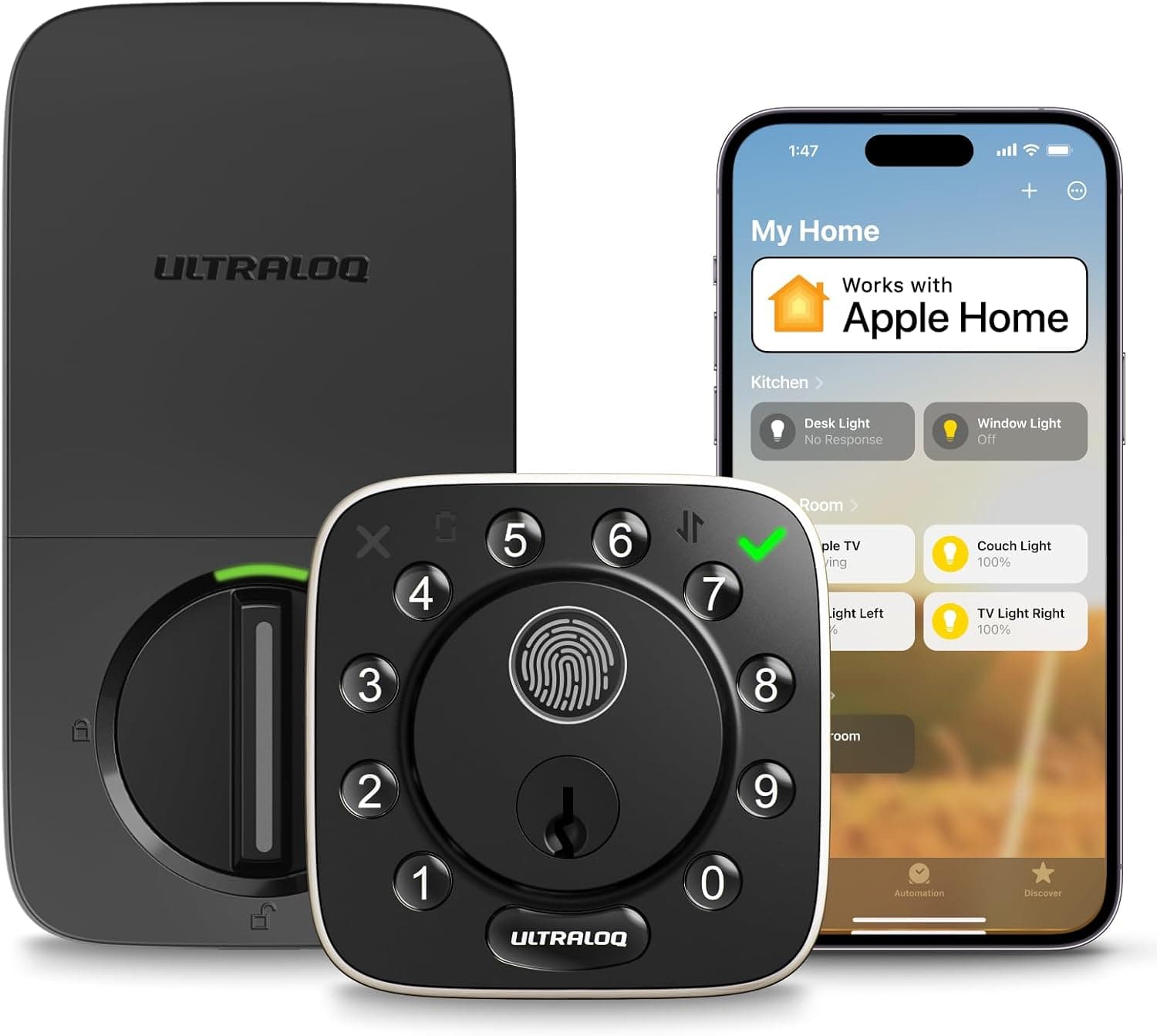
The smart-lock category splits into two camps. Premium brands sell polished ecosystems. Value brands stuff much the same core hardware into cheaper packages. ULTRALOQ built its name in the second camp, so we looked at the Bolt Fingerprint WiFi, around $190 with a 4.2-star owner base, to see what the price gap buys you elsewhere.
Built-in WiFi is the quiet differentiator. Many rivals need a plug-in bridge for remote access, an accessory that adds cost and one more failure point the Bolt simply doesn't have.
The Bolt covers the entry-method spread that matters in daily life. Fingerprint is fastest for household members. Keypad codes handle guests and cleaners, and they're revocable from the app. The app itself works from anywhere, and a physical key sits behind all of it as the fail-safe. The door-position sensor answers the question that actually drives smart-lock purchases, which is whether you closed the door as well as locked it, and it answers it definitively. Installation follows the standard deadbolt-retrofit pattern. Given a screwdriver and an aligned door frame, it's a job you finish inside an hour.
Bottom line
Entry convenience is excellent and it's excellent immediately. Remote monitoring works without extra hardware. The total cost undercuts premium locks by a meaningful margin. The trade-offs live in two places: ecosystem depth, where you should check current smart-home integration against your platform, and battery discipline, because a WiFi radio inside a lock eats cells faster than a Bluetooth-only design.
It suits key-losing families and code-juggling hosts best. Deep smart-home households should verify their platform's current integration status first. Everyone else gets most of the premium functionality at a clear discount.
How we assessed it
We assessed the Bolt on the factors that decide smart-lock satisfaction: entry-method redundancy, remote-access architecture (built-in WiFi versus a bridge accessory), door-state awareness, battery logistics and retrofit simplicity. A deadbolt's security fundamentals stay mechanical. Bolt, strike and door frame do the real work, and the electronics layer access control and monitoring on top of them.
The Good & The Bad
thumb_up What We Loved
- check
Fingerprint is the fastest daily entry
Sub-second entry on a familiar finger beats codes, phones and keys. It becomes the method households use for the overwhelming majority of unlocks within about a week.
- check
No bridge hardware for remote access
WiFi inside the lock means remote control and alerts work straight out of the box. Rivals frequently sell that same capability as a separate accessory.
- check
Door sensor closes the anxiety loop
The app reports open and closed as well as locked and unlocked. It catches the door left ajar that a bolt-only lock happily reports as locked.
- check
Strong value against premium brands
At roughly $190 it delivers the entry methods and remote features that premium locks price substantially higher, backed by a solid 4.2-star owner base.
thumb_down Honest Drawbacks
- close
WiFi drains batteries faster
The always-connected radio is both the convenience and the cost. Budget for battery changes measured in months, and don't swipe away the low-battery alerts.
- close
Fingerprint readers have edge cases
Wet, cold or worn fingertips misread on every consumer reader. The keypad backup matters far more in daily life than the showroom demo suggests.
- close
Ecosystem depth trails premium brands
Value locks typically integrate more narrowly with smart-home platforms. Verify current support for yours rather than assuming parity with the expensive names.
- close
A bad door defeats a good lock
Misaligned strikes and swollen frames cause motor jams and failed auto-locks. Fix the mechanical problem first, or the smart lock takes the blame for the door's faults.
- close
Everything routes through one app
Code scheduling, history and remote control all live in the U-tec app. That's fine until an account or connectivity hiccup leaves you back at the keypad.
Technical Breakdown
Entry methods
Fingerprint, keypad, app, key
Connectivity
WiFi built into the lock
Door sense
Position sensor
Battery life
Months, WiFi-dependent
Ecosystem support
Check current platform list
How It Works
It replaces your existing deadbolt. The door's mechanical health decides about half your satisfaction.
Swap the deadbolt
Remove the old deadbolt and install the Bolt with a screwdriver. It's a standard retrofit on common door preps, typically under an hour.
Fix alignment first
If the current bolt grinds, or you have to lift the door to lock it, repair the strike plate before installing. Motorized bolts fail on misaligned doors, and that's the top cause of angry smart-lock reviews.
Enroll fingerprints and codes
Register household fingerprints, using multiple angles per finger, then set keypad codes for guests in the U-tec app. Codes can be scheduled and revoked remotely.
Connect WiFi and enable alerts
The built-in WiFi links the lock to the app for remote lock and unlock, door-open alerts from the sensor, and activity history. No bridge accessory required.
How It Compares
| Feature | ULTRALOQ Bolt WiFi | Premium smart lock (e.g. Yale/August tier) |
|---|---|---|
| Remote access | cancelBuilt-in WiFi, no bridge | Often requires bridge accessory |
| Entry methods | Fingerprint + keypad + app + key | cancelVaries; fingerprint not always present |
| Ecosystem depth | Good, platform-dependent | Broader native integrations |
| Price | ~$190 | Substantially higher |
| Best for | Value-first households, hosts | Deep smart-home ecosystems |
Frequently Asked Questions
Is the ULTRALOQ Bolt Fingerprint worth it for a family that keeps losing keys?
For most households, yes. Fingerprint entry, hub-free WiFi remote access and a door sensor for roughly $190 covers the features people touch every day, which premium locks charge substantially more to provide. The exception is a home built around one smart-home platform, where you should verify current support before ordering.
Does the ULTRALOQ Bolt need a hub or bridge for remote unlocking?
No bridge, no hub, no extra plug. WiFi sits inside the lock itself, so remote lock and unlock, alerts and activity history all run on your home network plus the U-tec app. Rivals frequently sell that same capability as a separate accessory you buy afterwards.
How long do the batteries actually last with WiFi switched on?
Months, not a year. An onboard WiFi radio is the hungriest component in any smart lock, and heavy remote use shortens the cycle further. Turn on low-battery alerts in the app, keep a spare set in the drawer, and remember the physical key still opens the door if you ignore both.
Is fingerprint entry reliable in Canadian winter conditions?
If you come home from shovelling the driveway with cold, wet hands, expect a few misreads. That's true of every consumer fingerprint reader, not this one specifically. Enroll several fingers at a few different angles, and think of the keypad as your real winter entry method rather than a backup you never use.
ULTRALOQ vs premium smart locks: what do you actually give up?
Mostly ecosystem depth and brand polish. Premium locks integrate more natively with smart-home platforms and get firmware attention sooner. The Bolt keeps the daily-use set: fingerprint, keypad codes, remote access, door sense. That's why value-focused buyers rarely notice what they gave up.
Why do smart deadbolts fail on some doors and not others?
The door, not the lock. Misaligned strike plates and swollen frames jam motorized bolts and break auto-lock, then the review blames the electronics. Before installing any smart deadbolt, including this one, make sure the manual bolt glides shut without lifting or shoving the door.
library_booksReferences & Further Reading
Our reviews are informed by peer-reviewed research and authoritative health organizations. These sources provided context for this review:
Editorial note: Links to external sources are provided for informational purposes. ReviewHubNow is not affiliated with these organizations and does not receive compensation for linking to them.
The ULTRALOQ Bolt Fingerprint WiFi lands on the smart-lock sweet spot. You get the entry methods households genuinely us...
Based on our research and analysis, ULTRALOQ Bolt Fingerprint WiFi Smart Lock with Door Sensor scored 7.7/10. See the full verdict above for who it suits — and who should pass.
View Price on Amazon Canadaarrow_forwardVerify official availabilityWhat Owners Report
Recurring themes we found across public owner reviews.
Fingerprint speed dominates the positive feedback. Owners describe keys and codes becoming vestigial within days, and installation gets called easier than expected over and over.
Battery life under WiFi is the recurring cost. Owners note changes arriving sooner than they hoped, particularly where remote checking is a daily habit.
Hosts and landlords repeatedly cite revocable guest codes plus remote status as the two features that pay for the lock.
Amazon Canada's standard 30-day return policy