Ottocast Mini Cube 3.0 vs CarlinKit: Which Adapter Should You Buy?
Both promise wireless CarPlay in minutes. Owner data and teardown reports show the real difference isn't features — it's what happens six months in.
ReviewHubNow Editorial Team
ReviewHubNow Editorial Team
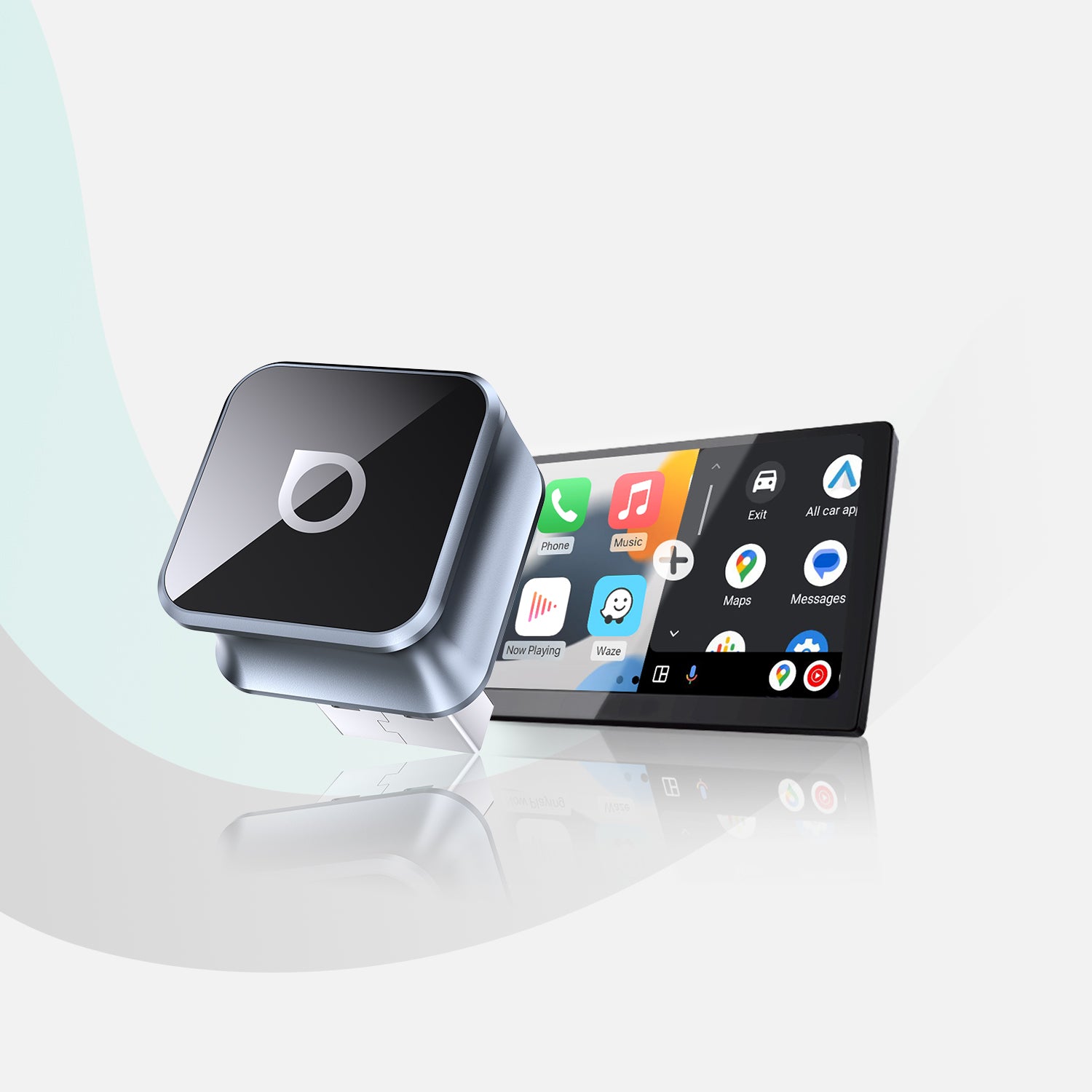
Search "wireless CarPlay adapter" and you'll get a wall of near-identical black cubes, all claiming instant setup, all hovering around the same price. Ottocast Mini Cube 3.0 and CarlinKit show up next to each other constantly, and on paper they look like the same product with different logos. That's not an accident. It's also not entirely true.
The confusion is real because both brands source components from the same general supply chain in Shenzhen, and CarlinKit in particular has spent years white-labeling its hardware under dozens of Amazon storefront names. So the question buyers actually need answered isn't "which brand has a nicer app icon." It's whether paying more for Ottocast buys you anything you'd notice after the honeymoon period ends.
What's actually different under the hood?
Both adapters do the same core job: they plug into your car's existing wired CarPlay port and trick the head unit into thinking a phone is plugged in, while your actual phone talks to the adapter over Wi-Fi and Bluetooth. The execution is where they split.
Ottocast has moved the Mini Cube 3.0 to a newer chipset generation with more processing headroom, which matters for one specific reason: video decoding lag. Wireless CarPlay has to compress your phone's screen, transmit it, and decompress it on the other end, all in the time it takes to feel instant. Older or underpowered chips choke on this during navigation with live traffic overlays, causing the stutter owners describe as the screen "catching up" a half-second late. Documented teardown comparisons and owner forums consistently place Ottocast's newer builds ahead here, while CarlinKit's lineup is split: its flagship models perform comparably, but its budget SKUs (some barely distinguishable from three-year-old firmware) still ship with the older chipset that struggles under load.
That's the trap. CarlinKit isn't one product, it's a brand name stretched across a wide range of hardware generations sold at wildly different prices. You genuinely cannot assume "CarlinKit" means one specific set of internals the way you can with Ottocast's more tightly controlled single-SKU approach.
Does the price gap buy you anything real?
Ottocast typically runs $20 to $40 above a comparable CarlinKit unit. Owner review patterns suggest that premium buys three things: more consistent firmware update delivery through a dedicated app, a longer and more clearly stated warranty window, and noticeably faster reconnection after the car is turned off and back on.
That reconnection point gets overlooked constantly, and it shouldn't. The single most common one-star review across both brands isn't about picture quality, it's about the adapter forgetting the pairing or taking 15-20 seconds to reconnect every single time you start the car. That's not a hardware limit so much as a firmware and Bluetooth-stack management problem, and it's exactly the kind of thing that gets fixed in software updates, if the company actually pushes them. Ottocast's update cadence, based on user-reported changelogs, has been more active than most CarlinKit-branded resellers, several of which appear to have simply stopped supporting older units once a newer model launched.
Where does CarlinKit actually fail, and where does it hold up fine?
Here's the finding that contradicts the assumption most people walk in with: CarlinKit isn't universally worse. In late-model cars with strong native Bluetooth and Wi-Fi hardware, plenty of owners report zero issues running a mid-tier CarlinKit unit for over a year. The complaints cluster hard in a specific scenario: older vehicles, roughly 2016-2019 models, where the factory infotainment system's wireless radios were never built with this kind of sustained data handoff in mind. That's less about the adapter and more about asking aging hardware to do something it wasn't designed for, and it's a distinction our compatibility deep dive covers in more detail if you're not sure which category your car falls into.
In that older-car scenario, the extra processing margin on the Mini Cube 3.0 acts as a buffer against weak signal conditions that would make a budget CarlinKit unit stutter or drop. It's the same reason our setup guide for older vehicles leans specifically on Ottocast's hardware rather than treating the category as interchangeable.
Is any of this worth it if wired CarPlay already works fine?
Worth asking before you spend anything. If your car already has wired CarPlay and the cable doesn't bother you, an adapter is solving a convenience problem, not a functionality one. Some owners genuinely regret the purchase once they hit the reconnect-lag issue described above, because it replaces a mildly annoying cable with a mildly annoying software handshake. We laid out that trade-off directly in a separate piece if you're on the fence about whether you need this category of product at all.
So which one should you actually buy?
If your car is 2020 or newer with modern Bluetooth hardware, a mid-tier CarlinKit unit will likely serve you fine, and you'll save real money. Just buy from a listing that specifies the current chipset generation rather than the cheapest unnamed reseller version, since that's where the outdated stock tends to hide.
If your car is older, if you drive with navigation running constantly, or if you've been burned before by a wireless adapter that dropped connection at the worst moment, pay for the Mini Cube 3.0. The processing headroom and update support aren't marketing fluff here, they're the two variables that actually predict whether you're happy with this thing a year from now. That's not a small claim for a $90 accessory, but it's what the pattern in owner data keeps showing.
Editor's Pick
Affiliate link. We may earn a commission if you buy through it, at no extra cost to you.
More from Our Editors
Meta Quest 3S 512GB vs 256GB: How Much Storage Do You Actually Need?
By ReviewHubNow Editorial Team
Do You Need a Soundbar With a Built-In Subwoofer for a Small Room?
By ReviewHubNow Editorial Team
Wireless Dog Fence Collar Systems: Do They Actually Contain Dogs?
By ReviewHubNow Editorial Team